
Why UNITIX built its own CRM
Important client work should not depend on somebody remembering it. We built an internal CRM that keeps conversations, meetings, tasks, and next actions connected.
By Mariya Tkach, Head of Marketing and Growth, UNITIX Agency
See more UNITIX in Google
Add UNITIX to your Preferred Sources.
The easiest way to lose something important for a client is not usually a dramatic mistake. It is a small promise left in an inbox, a follow-up stored in somebody's notes, or a meeting outcome that never becomes a task.
As UNITIX grew, we did not want the quality of client work to depend on one person remembering every detail across email, calendars, spreadsheets, and chat.
So we built our own internal CRM.
Built around the way our team actually works
UNITIX Soft CRM is not a generic system that we adapted with dozens of workarounds. We developed it around our own operating process, the same reasoning that produced UNITIX SOFT, the advertising software our specialists run on client accounts.
Each client relationship has a responsible person, a communication history, meetings, open tasks, current priorities, and a clear next action. The team can see what has already happened, what was agreed, and what needs attention now without reconstructing the story from several tools.
That shared context matters when more than one specialist contributes to the work. A handover should not make the client explain everything again, and an absent colleague should not make an important commitment invisible.
The next action is more important than another field
Many CRMs are good at storing information. We wanted ours to help the team act on it.
The workspace brings overdue tasks, unanswered communication, upcoming meetings, follow-ups, and records without a planned next step into visible work queues. Instead of scanning every client manually, the team can start with the items that need attention.
The goal is simple: when something important happens, it should lead to an owner and a next action.

Client communication stays connected to the client
An email is not useful context if it can only be found in one person's mailbox.
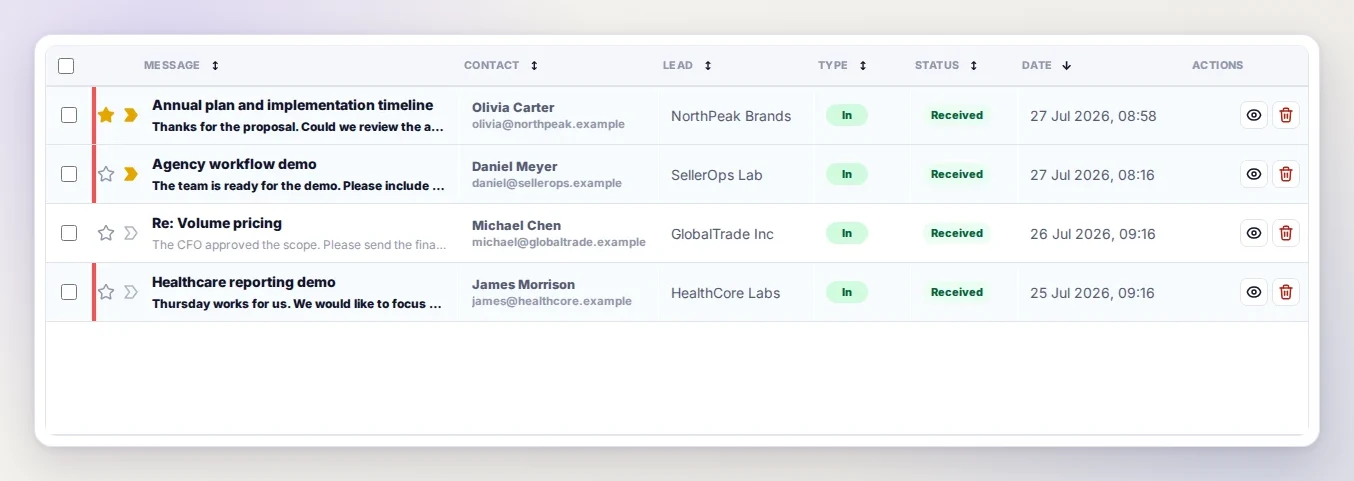
In our CRM, communication is connected to the relevant client record and sits alongside tasks, meetings, notes, and history. This makes it easier to understand what the client asked, whether the team replied, what was promised, and when the next contact should happen.
For the client, the benefit is continuity. The conversation does not reset when another team member becomes involved, and important details are less likely to disappear between channels.
Clear responsibility without constant status meetings
The CRM records who owns the relationship and who owns each task. Managers can see current work, deadlines, completed actions, and items that need intervention.
That visibility is not about monitoring people for its own sake. It reduces the need to ask the team repeatedly for status updates and makes responsibility explicit before something becomes urgent.
Meetings and booking pages are part of the same workspace. When a meeting is scheduled, it stays connected to the client and the follow-up process instead of becoming an isolated calendar event.
AI supports the internal workflow
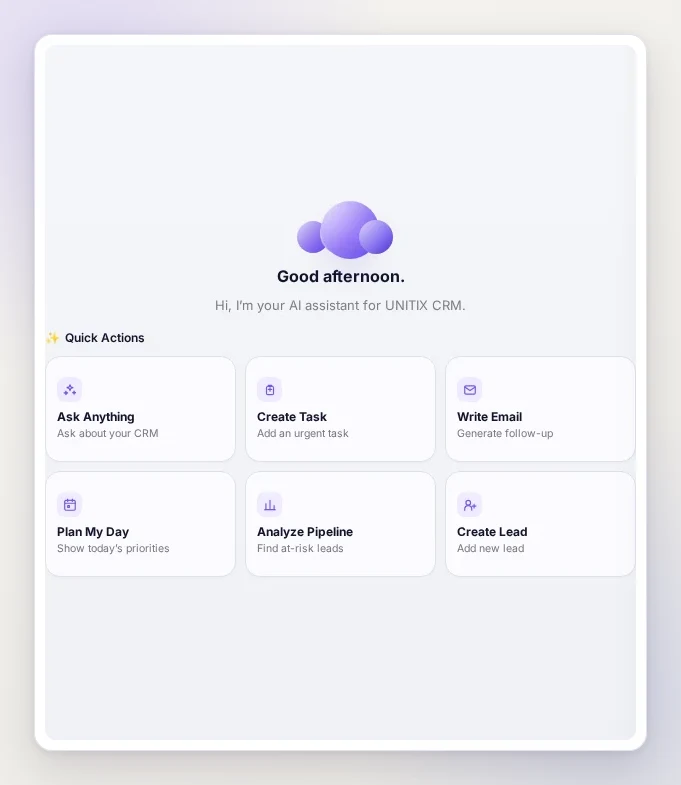
We also built an AI assistant into the CRM to help the team notice what requires attention and act on it faster.
The assistant works with the CRM context available to the signed-in employee. It can summarise what they should know now, show the day's priorities, identify client records that may be at risk, prepare a follow-up email, or turn an agreed action into a task.
This is especially useful when a client history contains several conversations, meetings, and unfinished actions. Instead of searching through each source separately, the employee can ask for the current context and then open the relevant client or task directly.
AI helps the team:
- bring overdue work and missing next actions back into view;
- review the latest inbound and outbound communication before preparing a reply;
- draft a follow-up that reflects the recent conversation;
- convert an important point into a task with an owner and deadline;
- plan the day around client work that needs attention first.
AI does not replace the person responsible for the client. Access follows the same role and permission boundaries as the rest of the CRM, and the team reviews what is produced before using it.
The point is not to add AI everywhere. It is to make important client context harder to overlook while keeping every decision and outgoing message under human control.
Technology should improve the client's experience
Building an internal CRM takes more effort than combining several ready-made tools. We chose to do it because our workflow is part of the service clients receive.
The result is not a feature clients have to learn or another account they have to manage. It works behind the scenes to give them:
- better continuity across the UNITIX team;
- clearer ownership of questions and commitments;
- fewer missed follow-ups and disconnected tasks;
- faster access to the history behind a decision;
- a more consistent working process as the agency grows.
This is what being a technology-driven agency means to us: we do not only use available software. When an important part of client work needs a better tool, we build it. The free tools on this site come from the same habit, and so does the argument for a specialist working in software rather than software working alone.
UNITIX Soft CRM is the internal workspace behind that process.
Published by UNITIX Agency, an Amazon growth agency and an Amazon Ads Verified Partner. More at unitix.pro/insights.
Check your own product
ASIN Inspector
Paste an ASIN or an Amazon product link. You get the price and Buy Box, rank and how it has moved, ratings, images and video, and the search terms the product is clicked on. Free, and it needs no access to your account.